


HUD Inoperable


Thread Starter
Senior Member
Posts like a Northstar
Joined: Dec 2006
Posts: 635
Likes: 0
From: Niagara Region, ON, Canada

 HUD Inoperable
Hi all. Seems my heads up display is not functioning in my 93 SSEi. Does not light up at all, so I know it is not an adjustment issue. Fuses that I thought relevant have been checked. Any other suggestions?

Senior Member
True Car Nut
Joined: Dec 2009
Posts: 9,616
Likes: 594
From: western,ny state

mine has a brightness thing you cant see it if that is turned down, your 93 have that?
i dont know what to offer otherwise, the wire schematics like haynes and that only cover engines and lights, you would have to get a gm manual for it
i dont know what to offer otherwise, the wire schematics like haynes and that only cover engines and lights, you would have to get a gm manual for it
Thread Starter
Senior Member
Posts like a Northstar
Joined: Dec 2006
Posts: 635
Likes: 0
From: Niagara Region, ON, Canada

Senior Member

True Car Nut
Joined: Sep 2006
Posts: 4,816
Likes: 245
From: Windsor, Ontario / Detroit, Michigan
I hope it doesn't get to that point, but in case you have to remove the HUD I found a proceedure:
You will have to remove the dash cluster to get to the hud retaing screws.

Use a plastic trim tool to remove the ignition switch bezel.
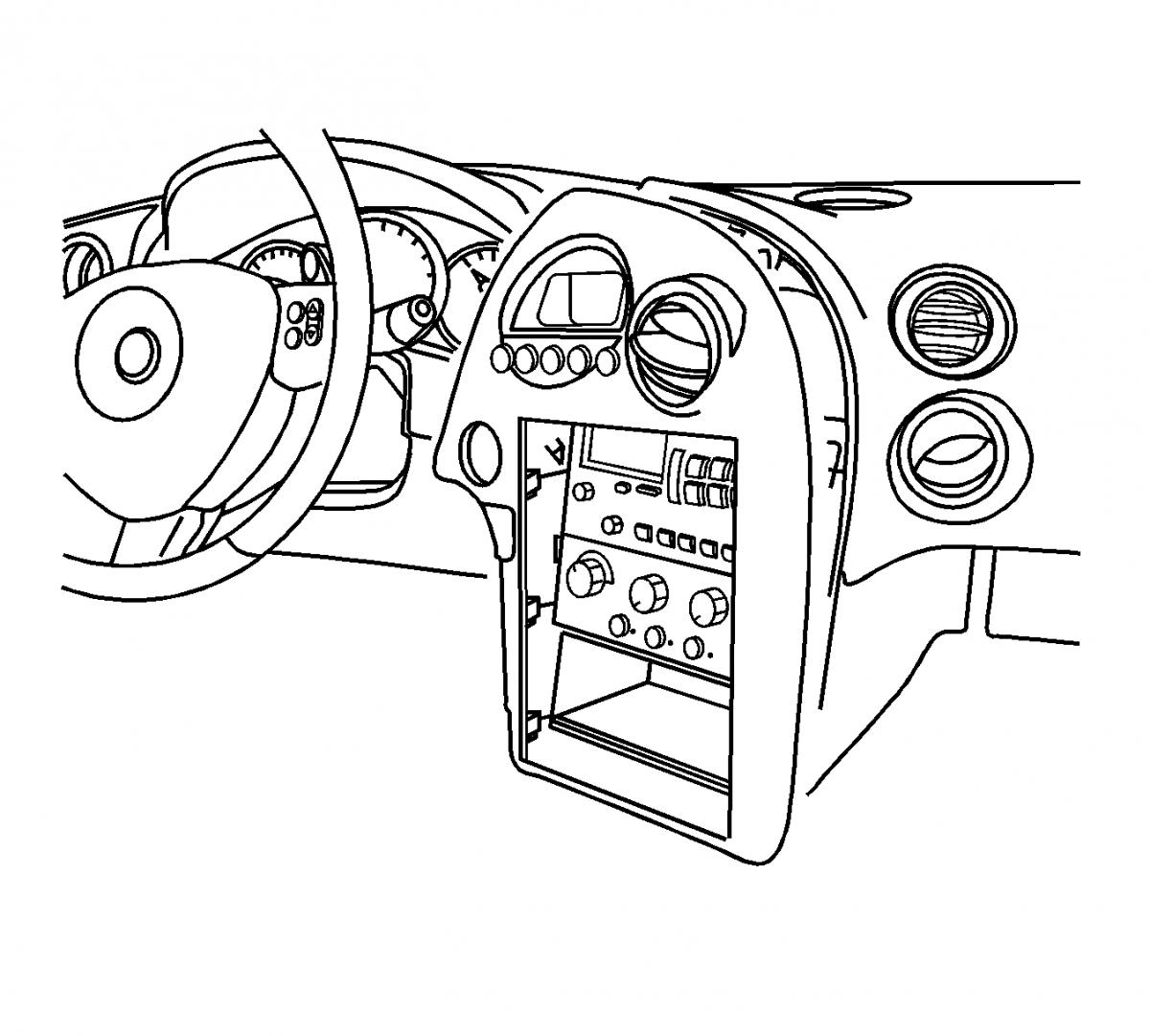
Pull the instrument panel (I/P) accessory trim plate rearward slightly for access to the steering column filler.
Remove the steering column filler.
Tilt the steering wheel to the lowest position.
Grasp the edge of the I/P cluster trim plate. Pull rearward to disengage the retainers.
Disconnect the electrical connector from the headlamp dimmer switch.
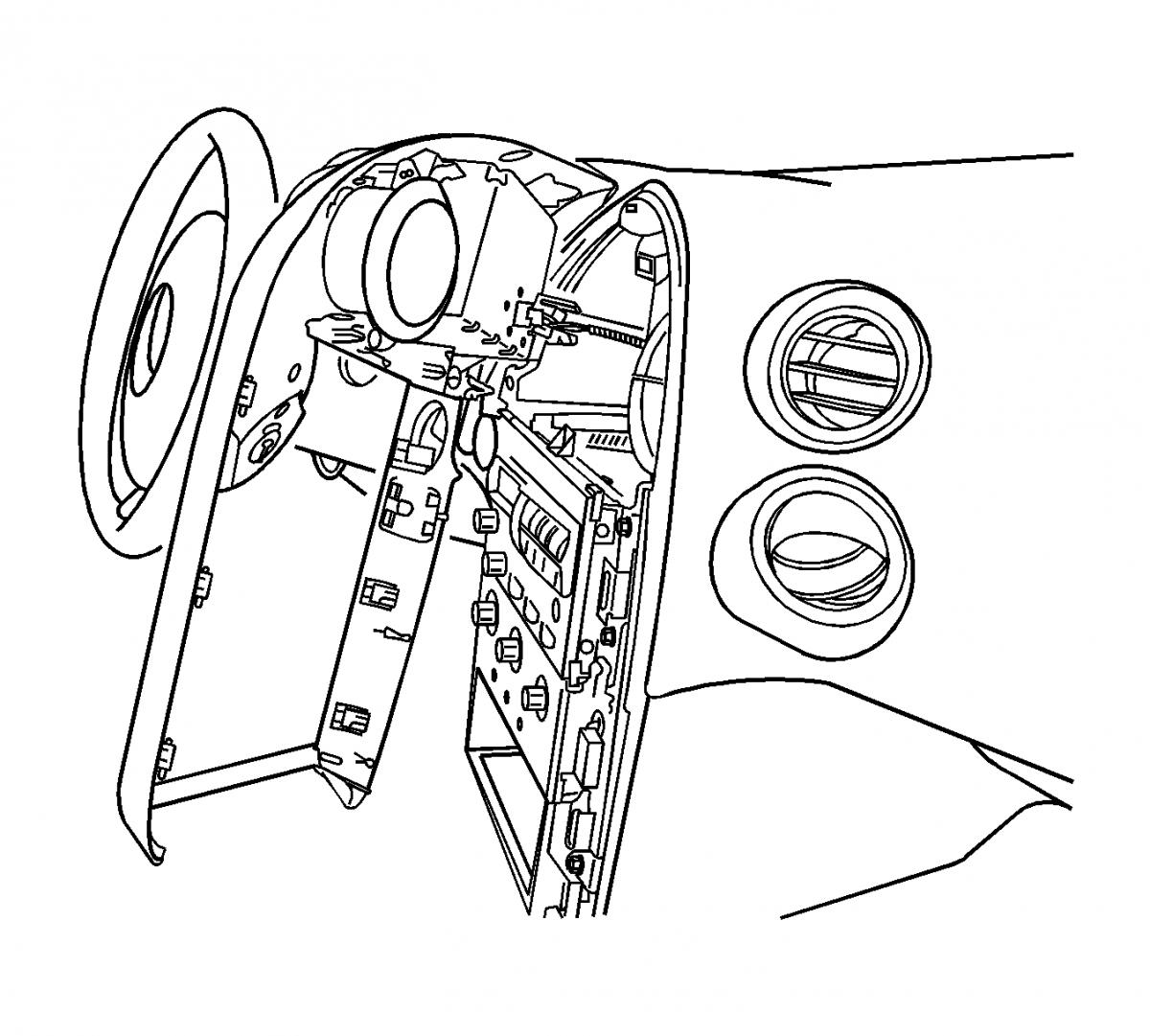
Disconnect the electrical connector from the driver information display assembly.
Remove the driver information display screws.
Remove the driver information display.

Remove the instrument cluster.
Remove the windshield pillar garnish moldings.
Notice: Use the following method to disengage the Head Up Display (HUD) retainers. Do NOT pry the retainers with a flat-bladed tool or other similar device.

Remove the HUD screw.

Remove the HUD bolts.

You will have to remove the dash cluster to get to the hud retaing screws.
Use a plastic trim tool to remove the ignition switch bezel.
Pull the instrument panel (I/P) accessory trim plate rearward slightly for access to the steering column filler.
Remove the steering column filler.
Tilt the steering wheel to the lowest position.
Grasp the edge of the I/P cluster trim plate. Pull rearward to disengage the retainers.
Disconnect the electrical connector from the headlamp dimmer switch.
Disconnect the electrical connector from the driver information display assembly.
Remove the driver information display screws.
Remove the driver information display.
Remove the instrument cluster.
Remove the windshield pillar garnish moldings.
Notice: Use the following method to disengage the Head Up Display (HUD) retainers. Do NOT pry the retainers with a flat-bladed tool or other similar device.
- Disengage the I/P upper trim panel retainers on the sides of the HUD.
- Disengage the retainer rearward of the HUD.
Remove the HUD screw.
Remove the HUD bolts.

Senior Member
True Car Nut
Joined: Sep 2006
Posts: 4,816
Likes: 245
From: Windsor, Ontario / Detroit, Michigan
Look down through the hole in the IP to see if the HUD display is lit up or not. One possible failure mode is a spring which holds the HUD up can wear through the plastic and cause the HUD unit to drop. If that happens, the HUD will continue to function but it will not display on the windshield.
Thread Starter
Senior Member
Posts like a Northstar
Joined: Dec 2006
Posts: 635
Likes: 0
From: Niagara Region, ON, Canada
Look down through the hole in the IP to see if the HUD display is lit up or not. One possible failure mode is a spring which holds the HUD up can wear through the plastic and cause the HUD unit to drop. If that happens, the HUD will continue to function but it will not display on the windshield.

Thread
Thread Starter
Forum
Replies
Last Post