

Lounge For casual talk about things unrelated to General Motors. In other words, off-topic stuff. And anything else that does not fit Section Description.

pic

Old Sep 13, 2010 | 01:09 PM
  #1  
vendo's Avatar
Thread Starter
Senior Member
Posts like a Turbo
 
Joined: Sep 2010
Posts: 480
Likes: 3
From: MASS
vendo is on a distinguished road
Default pic

how do i add a pic to my profile? for the forums
Reply
Old Sep 13, 2010 | 01:11 PM
  #2  
Danthurs's Avatar
Retired Senior Admin

Expert Gearhead
 
Joined: May 2006
Posts: 29,661
Likes: 43
From: Sheboygan Wisconsin
Danthurs is a name known to allDanthurs is a name known to allDanthurs is a name known to allDanthurs is a name known to allDanthurs is a name known to allDanthurs is a name known to all
Default

Click on the user CP on the left side of the page.
Reply
Old Sep 13, 2010 | 01:28 PM
  #3  
vendo's Avatar
Thread Starter
Senior Member
Posts like a Turbo
 
Joined: Sep 2010
Posts: 480
Likes: 3
From: MASS
vendo is on a distinguished road
Default

I got pics in album,i have not posted pics on a forum in a long time.i dont see where to post them.
Reply
Old Sep 13, 2010 | 07:00 PM
  #4  
SAMzGXP's Avatar
Senior Member
True Car Nut
 
Joined: Mar 2009
Posts: 2,894
Likes: 0
From: Fort crack homie
SAMzGXP is on a distinguished road
Default

sorry but im a little confused on what picture do you wanna post?
are you talking posting signature pictures or profile?

profile picture is a picture that shows to the left of every post
this is DANTHURS profile picture


a signature picture is a picture that shows at the bottom of every post
this is DANTHURS signature picture
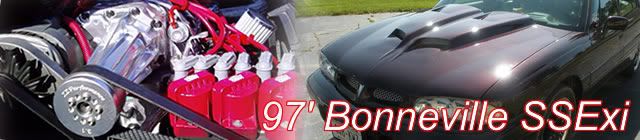


or unless you mean posting a picture in a thread?
Reply
Old Sep 13, 2010 | 07:18 PM
  #5  
Danthurs's Avatar
Retired Senior Admin

Expert Gearhead
 
Joined: May 2006
Posts: 29,661
Likes: 43
From: Sheboygan Wisconsin
Danthurs is a name known to allDanthurs is a name known to allDanthurs is a name known to allDanthurs is a name known to allDanthurs is a name known to allDanthurs is a name known to all
Default

Posting in a thread is easy. You can right click on a image you want and choose copy image location. Then look at the top of the box your typing in and you will see a yellow square with what looks like a mountain and a sun. Click on that and copy the location there, click OK and the image will show up in the post.

Reply
Old Sep 14, 2010 | 04:23 PM
  #6  
vendo's Avatar
Thread Starter
Senior Member
Posts like a Turbo
 
Joined: Sep 2010
Posts: 480
Likes: 3
From: MASS
vendo is on a distinguished road
Default

both I want to add. al I will test it tonite
Reply
Old Sep 14, 2010 | 10:15 PM
  #7  
vendo's Avatar
Thread Starter
Senior Member
Posts like a Turbo
 
Joined: Sep 2010
Posts: 480
Likes: 3
From: MASS
vendo is on a distinguished road
Default

I forgot the link for my pics on web site lol..
Reply
Old Sep 14, 2010 | 10:36 PM
  #8  
vendo's Avatar
Thread Starter
Senior Member
Posts like a Turbo
 
Joined: Sep 2010
Posts: 480
Likes: 3
From: MASS
vendo is on a distinguished road
Default

still cant do it...doh
Reply
Old Sep 15, 2010 | 12:41 AM
  #9  
radomirthegreat's Avatar
Senior Member
True Car Nut
 
Joined: Sep 2006
Posts: 4,606
Likes: 0
From: Indianapolis, IN
radomirthegreat is on a distinguished road
Default

User CP at the top-left
• In the bar on the left, under Settings and Options,
- Edit Avatar
- Edit Signature

Is that what you were asking about? Please let us know if you're still not clear on something, and we'll be happy to keep helping.
Reply
Old Sep 15, 2010 | 06:02 AM
  #10  
vendo's Avatar
Thread Starter
Senior Member
Posts like a Turbo
 
Joined: Sep 2010
Posts: 480
Likes: 3
From: MASS
vendo is on a distinguished road
Default

I didnt see the CP.I was looking in my little square box my name was in thanks. al
Reply


All times are GMT -4. The time now is 11:34 PM.